Your reports
Keyword opportunities and competitors
Where these come from and how to read the estimates.
Paid plans check who ranks on Google for your main searches each week, and find searches you could be winning. Free plans see a preview.
Competitors on Google
Each week we look up your top searches from Search Console on Google (mobile results, in the country you choose) and count who appears in the top 10.
- In top 10: how many of your searches a site appears on page 1 for.
- Above you: how many of those it ranks higher than you for.
- Average position: where it usually appears; 1 is the top.
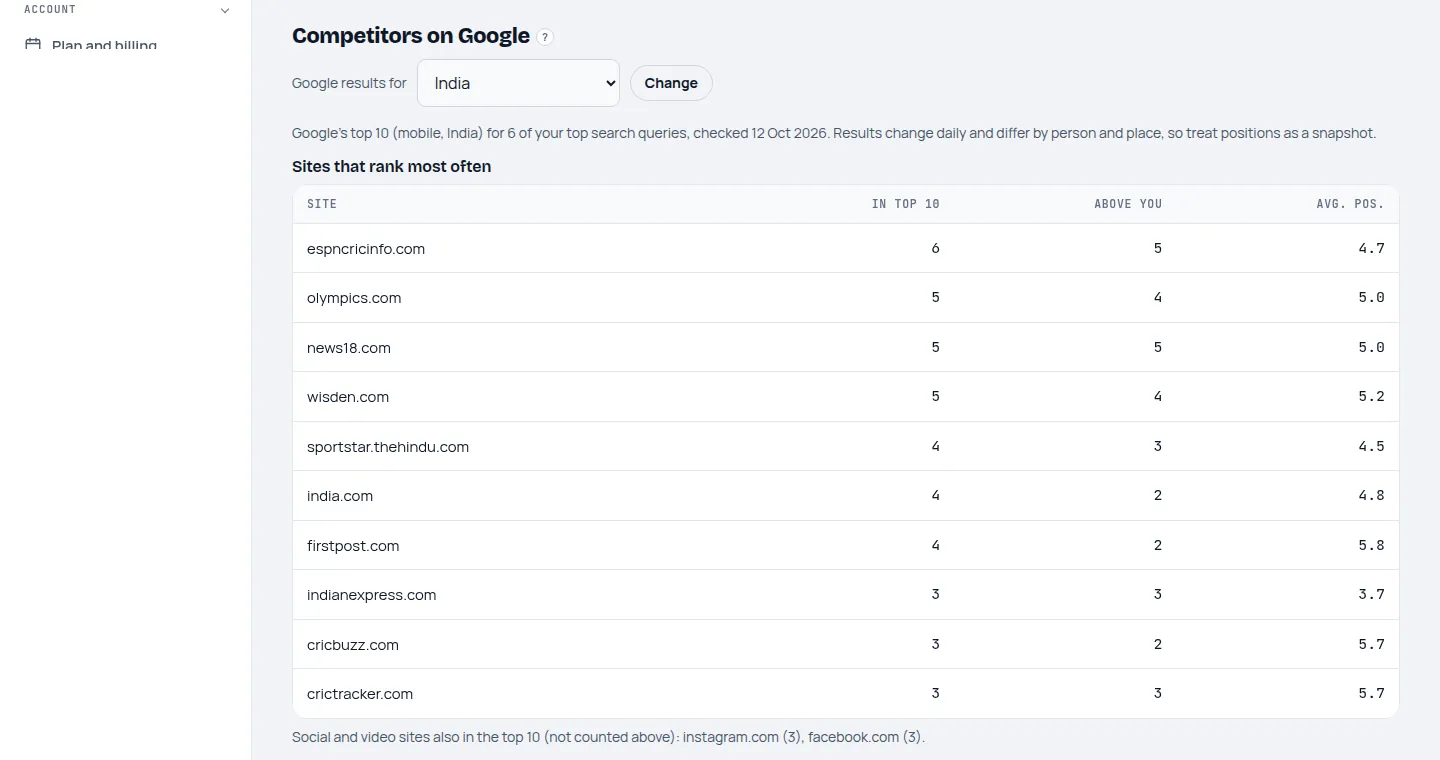
Changing the country
Choose the country your readers are in, above the competitors table, and click Change. The check for the new country starts straight away and results usually arrive within an hour; the page shows Checking Google now until then.
Keyword opportunities
- Keyword gaps: searches where a competitor is in Google's top 10 and you're not.
- Questions people search and related searches around your main topics.
We leave out searches you already get impressions for, searches that name a brand (yours or a competitor's), and searches unrelated to what your site is found for.
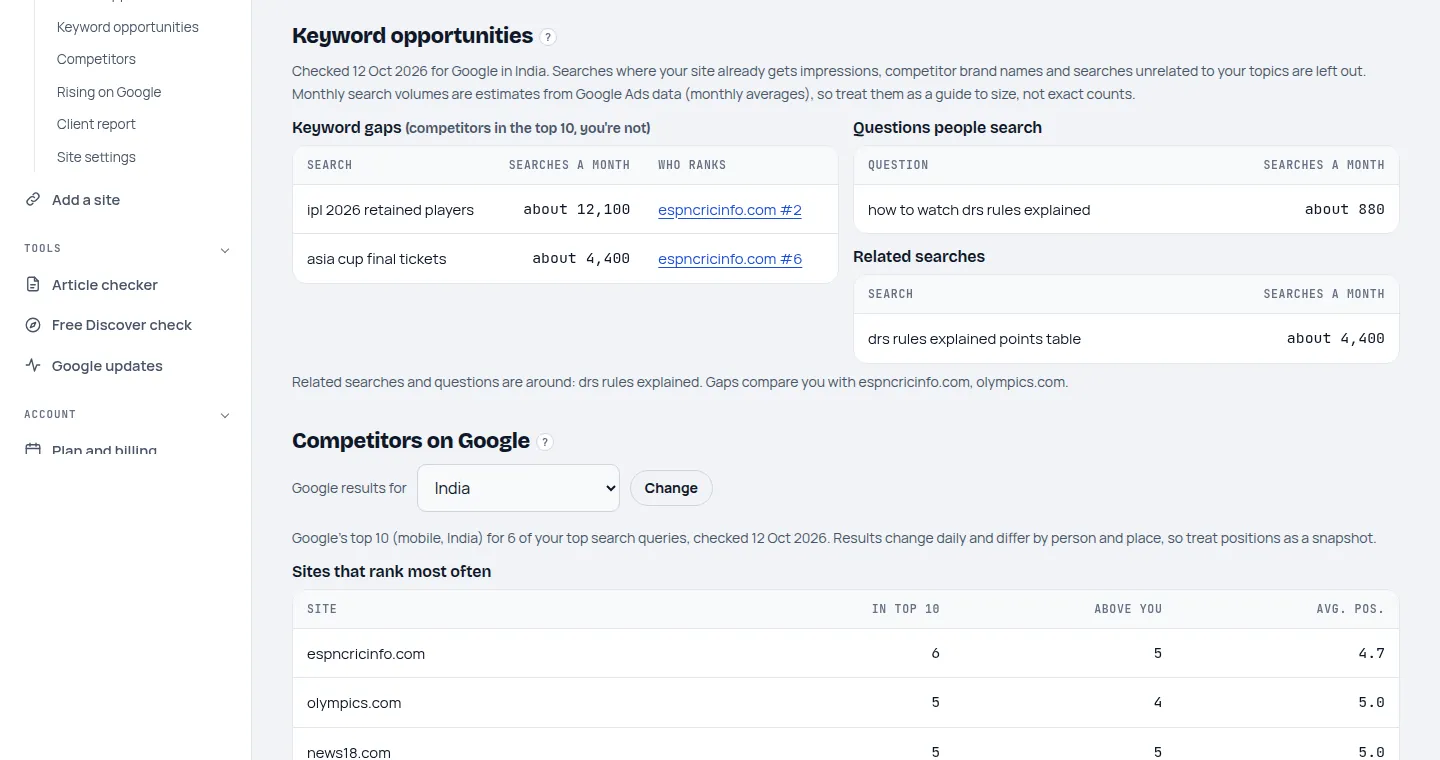
Volumes are estimates. "Searches a month" comes from Google Ads data averaged over a year, and positions change daily and differ by person and place. Use them to compare and choose, not as exact counts.
Last updated 24 October 2026