Agency
Client reports and share links
Your agency's name, notes, PDFs and private links.
On this page
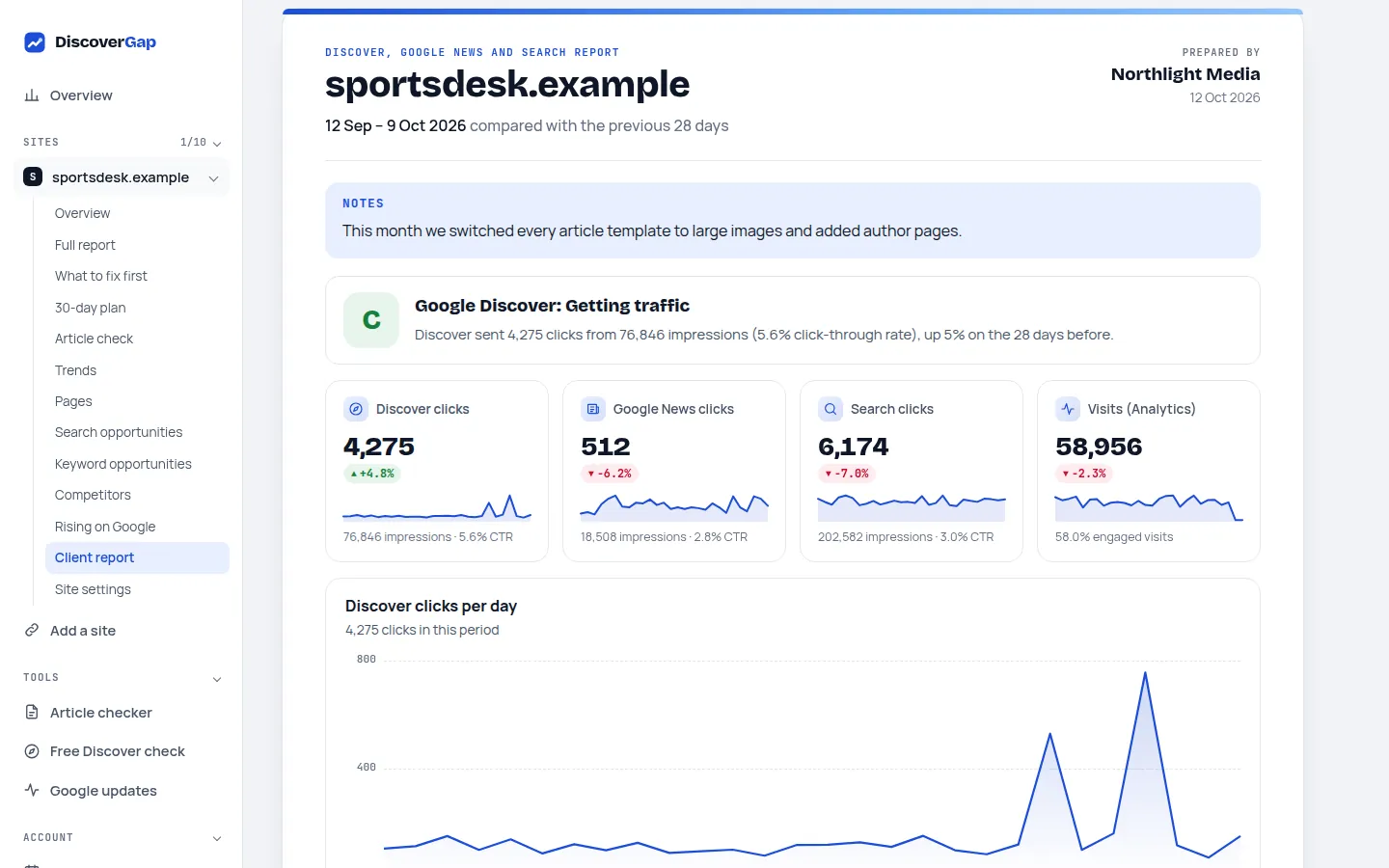
On the Agency plan, every site has a client-ready report: the period's Discover, Google News and Search figures, top and falling pages, your work plan with what's done, competitors and rising searches, with your agency's name on it.
Set it up
- Open Client reportIn the sidebar, open the site and choose Client report.
- Add your agency's nameEnter it under Prepared by. It's used on every client report.
- Add a note (optional)A few lines for this client, for example what you changed this month.
- Choose the datesUse the date button at the top. The report shows exactly those dates.
Send it
- PDF: click Print or save as PDF and choose Save as PDF in the print window.
- Private link: click Make a share link. Your client opens it without an account; it's read-only and works for 90 days.
About share links
- Copy the link straight away: for your client's privacy we store only a scrambled form, so it's shown once.
- A link with a preset range (for example Last 28 days) always shows the latest figures; a custom range always shows those dates.
- You can see how often it was opened. Switch off link stops it immediately; Make a new link replaces it.
- Anyone who has the link can see the report, so send it only to your client.
Last updated 24 October 2026