Your reports
Your full report, section by section
Fixes, pages, search opportunities and more.
On this page
The full report is everything we know about one site, in one long page. Use the section links in the sidebar (or the menu on a phone) to jump to any part. Every figure follows the dates you choose at the top.
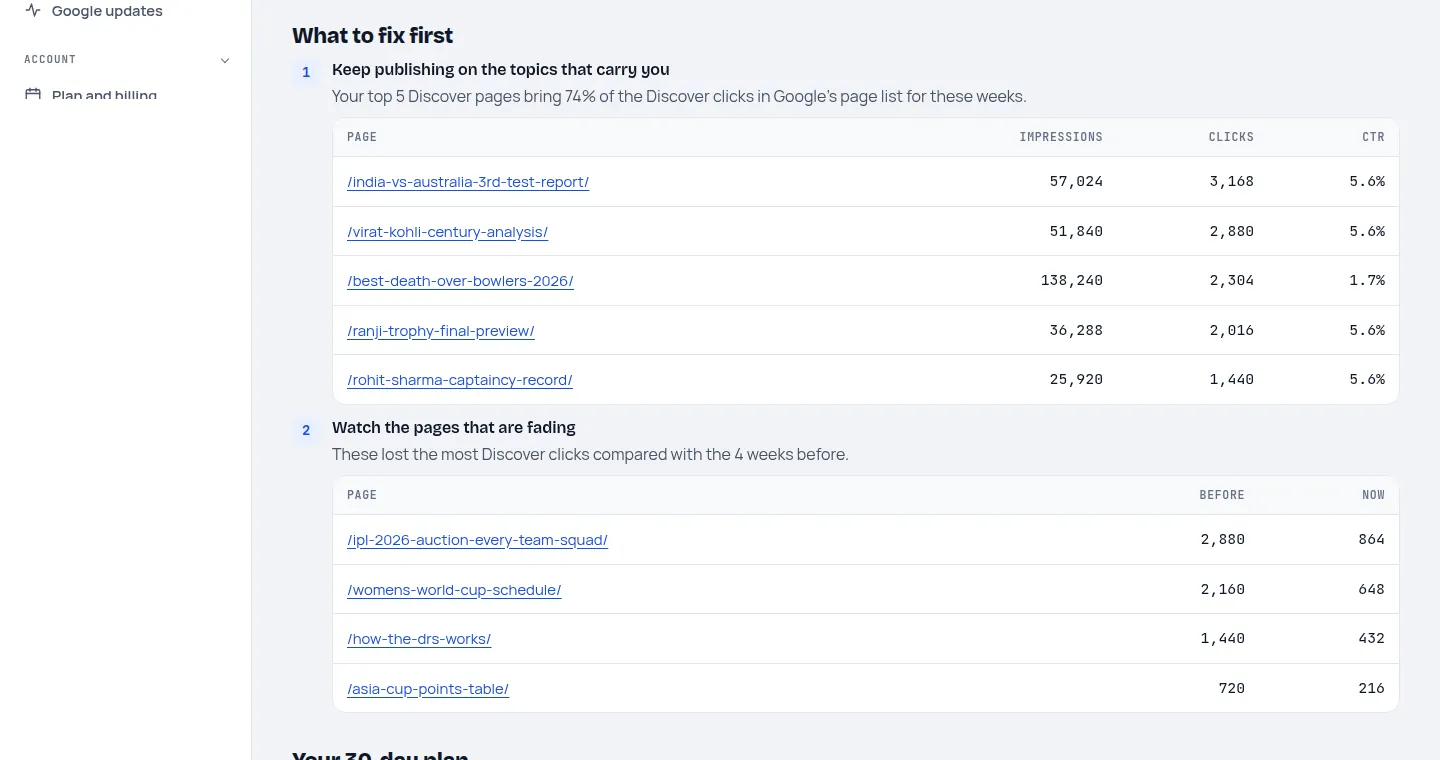
What to fix first
The few changes most likely to help in Discover right now, in order, each with the reason taken from your figures. For example: "Google showed your pages 76,000 times but only 2.1% were clicked", followed by what to change.
Your 30-day plan
Four weeks of tasks written for this site. More about the plan.
Article check
We open up to five of your own recent articles, as a browser would, and check the settings Discover depends on: the large-image setting, a main image at least 1,200 pixels wide, a named author and a clear headline.
Trends and pages
The trends chart shows clicks or impressions day by day for each channel. The pages table lists your top pages and those that gained or lost clicks against your comparison. Page lists use whole Monday-to-Sunday weeks, because that's how we store them; the table says which weeks.
Search opportunities
Searches you already appear for that could quickly bring more clicks: ones where you sit at the bottom of page 1 or on page 2 (average position 8 to 20), searches that are growing fast, and new searches you've started to appear for.
Keyword opportunities and competitors
Searches your competitors rank for and you don't, questions people ask, and who ranks in Google's top 10 for your main searches. Paid plans only. How these work.
Rising on Google
Searches around your three biggest topics that are growing fastest on Google Trends over the last 30 days, in the country you choose.
Checking these numbers
At the end of every report: exactly where to look in Search Console to see the same figures, so you can check them yourself.
Last updated 24 October 2026